

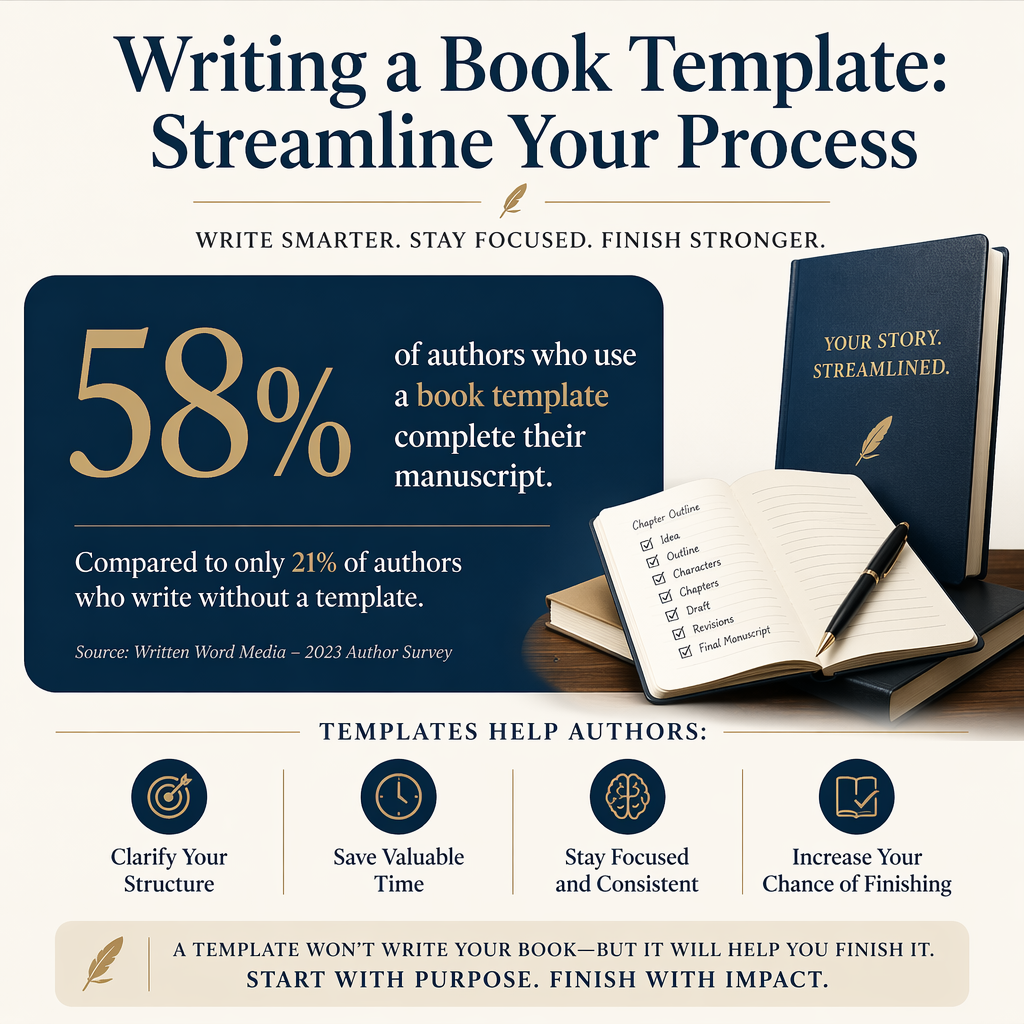
A writing a book template is the difference between “I have time to write” and “I wrote 900 words before breakfast.” You are not trying to cage your creativity. You are trying to stop wasting your best writing hours on decisions you already know how to make.
I have watched talented authors stall for weeks because every session starts with the same questions: Where am I in the draft? What am I trying to do today? What did I promise the reader in the last chapter? A template answers those once, then gets out of your way.
The goal is simple. Your template should reduce friction, protect continuity, and give you a clean handoff from drafting to revision to publishing tasks that actually sell books.
Table of Contents
What A Book Template Really Does For You
A good template does three jobs: it narrows your choices, it captures decisions you keep re-making, and it gives you a record of intent. That last one matters more than most writers admit. When you come back to a draft after two weeks of life happening, you do not need inspiration. You need a reliable map.
This template work is not busywork. It is the same principle behind checklists in high-stakes fields. In medicine, for example, the New England Journal of Medicine reported major reductions in complications and deaths after a surgical safety checklist was introduced. Writing is not surgery, but the cognitive problem is similar. Under pressure, humans forget steps and improvise to avoid messes.
Friction Is The Real Draft Killer
Most writers blame time. I usually see decision fatigue. If you spend the first 20 minutes rereading, re-planning, and negotiating with yourself, you will “run out of time” even on a free Saturday. A template turns those 20 minutes into a two-minute ramp.
Write a one-page “start-of-session” block that you fill in every time. Date, project, scene you are in, POV, location, story time, and one sentence for what must change by the end of the scene. When you sit down tomorrow, you will not have to guess what you meant today.
Continuity Is A System, Not A Memory Test
If you write series, continuity becomes a tax you pay forever. Even standalones drift. The template should hold the facts your future self will otherwise swear you “definitely remember.” You will not.
Create a living continuity sheet with names, ages, physical tells, important dates, and any object that moves the plot. Update it the moment you introduce a new fact. Waiting until revision is how you end up with a character whose sister is both older and younger depending on the chapter.
Your Template Should Point Toward Publishing
Drafting choices ripple outward. Genre promises, trope delivery, and pacing all affect your blurb, categories, and even your cover direction. I like my template to include a short “market intent” box, not because you should write by algorithm, but because you should know what shelf you are writing for.
Write 2 comp titles you would proudly sit beside on Amazon, plus one sentence about what your book delivers that those comps do not. If you cannot do that yet, the template just showed you a real problem worth solving.

The Core Writing Template I Recommend
If you build nothing else, build this. It is the smallest structure that consistently improves draft quality and reduces revision pain. You can keep it in a Scrivener project, a Google Doc, Notion, or a plain text file. The tool matters less than the repeatability.
Project Header
This is where you pin the decisions that should not wobble every week.
- Working Title and a one-line promise (“A burned-out paramedic must solve X before Y happens”).
- Genre and Subgenre as readers name it, not as you wish it were shelved.
- Target Length Range (not a single number). If you write romance, epic fantasy, cozy mystery, or litfic, your ranges differ. Commit to a range so you stop bloating the middle without noticing.
- Point of View Plan (single, dual, rotating), plus tense.
Write your one-line promise so it includes a protagonist, a concrete goal, and a consequence. If you cannot name the consequence, you are missing the engine that produces scenes.
Scene Template
Every scene you draft should have a fast, consistent wrapper. I use this because it stops wandering scenes, and it makes later revision brutally efficient.
- Scene ID: Chapter number and scene letter (12A, 12B).
- POV Character and what they want in this scene.
- Time and location (story time matters for pacing and continuity).
- Conflict Pressure: who or what pushes back right now.
- Change: what is different by the end. A new decision, a new obstacle, a new alliance, a new wound.
- Hook Out: the question or pressure that pulls the reader into the next scene.
If you cannot write the Change line in one sentence, you probably have a sequence, not a scene. Split it.
Chapter Template
Chapters are reader-facing packaging. Scenes are your working units. Your chapter wrapper should keep the reading experience in mind.
- Chapter Purpose: What promise does this chapter pay off or set up?
- Pacing Note: Fast, medium, slow, and why. A slow chapter is fine if it is doing a job, such as intimacy, dread, or setup.
- Continuity Checks: Date, injuries, travel time, knowledge state.
Add a single line called “Reader Knowledge” that lists what the reader must understand by the end of the chapter. This line catches confusion before it spreads.
Templates For Different Drafting Styles
Writers talk about plotters and pantsers like it is a personality test. What matters is how you generate pages. Your template should fit your drafting behavior, not fight it. If it fights you, you will abandon it and then tell yourself templates “do not work.”
The Plot-Forward Template
If you outline, your template needs a hierarchy: premise, act turns, major sequences, then scenes. I like a beat list that fits on one page per act. The danger for plot-forward writers is overbuilding the outline and underwriting the prose.
Cap your outline detail. For each scene, allow yourself one paragraph of intent, no more. If you want to write more, you should draft the scene instead.
The Discovery Template
If you discover the story as you draft, your template should catch what you learned, then feed it back into the next session. Discovery writers do not need more planning. They need better bookkeeping.
After every writing session, fill in a two-part log: “What changed” and “What I now believe the story is about.” Keep it short. This practice prevents the common discovery-draft problem where theme and character motivation drift because nothing is pinned down.
The Hybrid Template
Most working authors end up here. You outline enough to avoid dead ends, and then you discover the best moments in the drafting. A hybrid template should separate “fixed” decisions from “draft-level” decisions.
Create a section called “Locked” with only the non-negotiables. Put everything else in “Provisional.” If you move something from Provisional to Locked, write down why. That tiny note is gold during revision.
How To Build Your Template Without Turning It Into Homework
The fastest way to ruin a template is to treat it like an engineering project. Your template is a tool you use under real conditions, when you are tired, distracted, and tempted to check your ads dashboard instead of writing. The design brief is usability.
Start With One Week Of Evidence
I do not start by guessing what I need. I start by observing where I get stuck. For one week, I keep a simple “friction log” next to my draft. Every time I pause for more than a minute because I do not know something, I write the reason down.
After seven days, circle the top three repeats. Those become template fields. If “What day is it in the story?” appears five times, your template needs a story calendar line. If “What is this character afraid of?” shows up, your template needs a motivation snapshot.
Keep Your Fields Fillable In Under Five Minutes
If your pre-scene template takes 15 minutes to fill, it becomes a procrastination machine with nice typography. The only fields that deserve space are the ones that save you more time than they cost.
Time yourself filling your scene wrapper before you write. If it takes longer than five minutes, cut fields until it does not. You can always add one field back later when you have proof it earns its keep.
Version Your Template Like A Draft
Your template should evolve as your manuscript evolves. I keep a version number at the top. When I change it, I write one sentence about why.
Label your template as “Template v1.0” and set a reminder to review after 20,000 words. If you have not changed it by then, it is either perfect or you are not paying attention. Usually it is the second one.
Putting The Template Into A Real Writing Workflow
A template is only valuable when it changes your behavior. Connect it to the way you actually produce pages and ship books. That means pairing your drafting template with a revision path and a publishing checklist that keeps you from dropping important steps.
Drafting Rhythm And Word Count Reality
I like writing targets that fit the human brain. A consistent daily habit beats heroic weekend sessions for most authors, especially if you have a day job. Research on habit formation consistently points to context cues and repetition as major drivers, and the American Psychological Association overview of habit research is a solid place to start if you want the psychology behind why consistency wins.
Attach your template to a trigger. It can be “open the project, fill the scene wrapper, write 300 words.” That small sequence builds momentum. You can always keep going once the flywheel is moving.
Revision Passes That Match The Template
Revision gets easier when your draft contains labels for what you intended. If you used the Change and Hook Out lines, you can audit pacing and tension without rereading every sentence.
Run three passes in order. First, a scene audit where you confirm each scene has a clear want, pressure, and change. Second, a continuity pass using your continuity sheet. Third, a line-level pass where you fix prose and voice. Mixing these passes is how you spend two hours polishing a paragraph you will delete next week.
Publishing Handoff And Marketing Notes
The template can also carry information you need later for your blurb, categories, and ads. I keep a “swipe file” section where I paste lines that sound like back-cover copy. I also keep a list of tropes and comparable authors because those will drive your metadata choices on Amazon KDP and your targeting on platforms like Facebook and Amazon Ads.
Every time you write a line that makes you grin, copy it into a “blurb bank” inside the template. When it is time to write your description, you will not start from nothing.
If you want software support, Adazing tools can take some of the side tasks off your plate. I have seen writers use QuickWrite-style focused writing tools to reduce distraction during drafting, then switch to generators for names and world terms when they hit a placeholder wall. Treat those as assistants, not substitutes for decisions your story has to earn.
FAQs for Writing a Book Template: Streamline Your Process
Should I use a single template for every book I write?
I recommend a core template that stays stable, plus genre and project add-ons. A thriller benefits from a suspense and reveal tracker, while a cozy mystery benefits from a clue ledger and suspect timeline. Keep the core consistent, so you build muscle memory, then add one page of project-specific fields.
How detailed should my scene template be?
Your scene template should be detailed enough to prevent wandering and thin enough that you still want to write. For most authors, 6 to 8 fields are plenty. If you find yourself filling in backstory summaries or theme essays before drafting, cut that field and put the thinking into the scene itself.
Can a template help if I keep abandoning drafts halfway through?
Yes, if you use it to diagnose why you quit. Most abandoned drafts fail at one of three points: the midpoint sags because stakes are unclear, the main character wants something vague, or the story promise in the opening does not match what you are writing later. Add template fields that ensure clarity of the want, consequence, and scene change, then do mid-draft checks at 25 percent and 50 percent to see if the engine is still running.
A Template That Gets You To The Last Page
Your best template is the one you actually fill in when you are tired and tempted to reread Chapter One for the tenth time. Start small, build from evidence, and keep every field tied to a problem you have already paid for in lost writing time. Once your template is working, your drafting sessions stop feeling like you are reinventing the book every day and start feeling like you are finishing it.
