
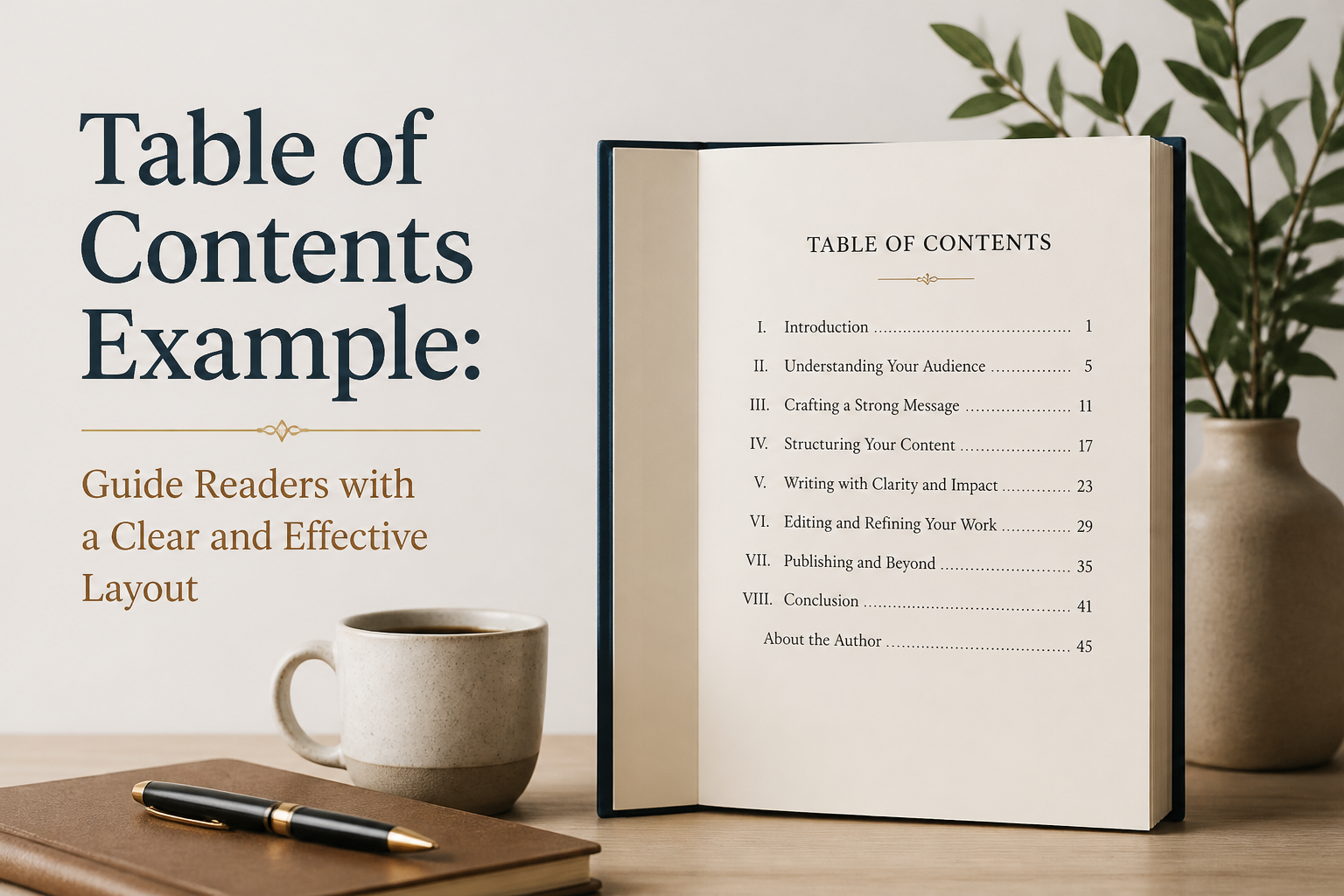
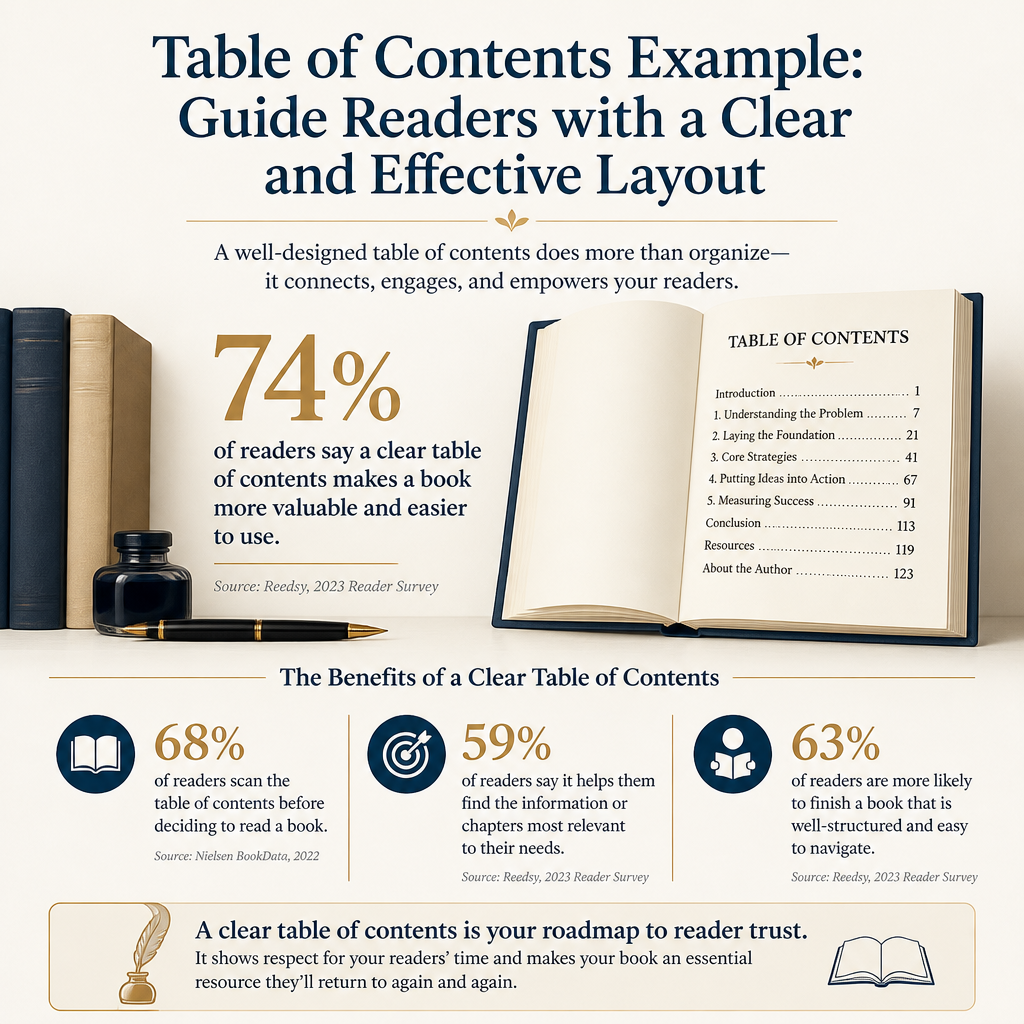
As any strong table of contents example shows, the contents page gives your reader a map before the journey starts. It shows the shape of your book, sets expectations for the reading experience, and helps a browser decide whether your subject deserves attention. A vague list of chapter names wastes that first opportunity.
I treat the contents page as part of the book’s sales and usability system. On the usability side, a print contents page helps readers find a section they remember, and an ebook turns the same page into a working navigation tool. Beyond navigation, a well-built contents page can expose problems in your manuscript, including uneven chapter lengths, repeated ideas, weak section order, and headings that promise something the text never delivers.
None of this requires ornamental design or clever labels. The real work lies in a clear hierarchy, accurate page references, and enough information for a reader to predict what each section offers. I use the process below for nonfiction, fiction with substantial front matter, workbooks, essays, and author guides.
Table of Contents
Reader’s Destination
Ahead of any design work, your contents page should point readers toward the material they want. A reader who opens a book to locate a chapter on query letters, character arcs, or launch planning should be able to scan the page and reach the right place without decoding your naming system. That purpose affects every choice, starting with chapter numbers that follow a logical sequence and titles that distinguish one section from another. In print, page numbers should match the finished interior file. Ebook links carry a similar duty. Each one should take the reader straight to the opening of the intended chapter, never to a decorative divider or a random paragraph.
Reader Tasks And Search Intent
To keep that purpose in view, write down the tasks your reader may bring to the book before you format anything. For example, a self-published author might want to find cover advice, pricing guidance, or a launch checklist. Someone reading a memoir may want to return to a chapter about grief or recovery. In a textbook, a student may need to locate a term before a class discussion.
Every heading should pass the test those tasks set. A title such as “The Door Opens” may sound attractive in a novel. In nonfiction, the same title tells the reader little about the material inside. In contrast, “Choosing Your Book’s Category” hands a browsing reader a usable signal. Literary chapter titles can work when the surrounding book creates a clear pattern. For practical books, plain language remains the safer choice.
Visible Information And White Space
A contents page needs room to breathe. Cramming thirty chapter titles into a tiny block of type makes the page look busy and slows scanning. To give it that room, use consistent spacing, a readable type size, and enough indentation for subheadings to register at a glance.
A short book can often fit the full list on a single page. Long reference books may need two or more, and readers won’t mind the extra pages as long as the entries stay easy to scan. I would rather give a reader a spacious two-page contents section than compress every line until the page resembles a legal disclaimer.
Before any of that spacing work, draft your contents page in plain text. Read the list from top to bottom and ask whether a stranger could explain the book’s promise after thirty seconds. If that stranger would struggle, revise your chapter titles or their order before touching fonts, rules, or decorative icons.

Information Architecture
A clear contents page reflects how the manuscript is built, so a confusing structure will show through no matter how neatly you format the list. When I edit a contents list, I look for a sequence that moves from orientation to instruction, from foundation to application, or from problem to solution. Fiction follows different patterns. Its contents still need a recognizable order when the book includes parts, sections, or supplementary material.
To find that order, start with the book’s largest divisions, such as front matter, parts, chapters, appendices, resources, and back matter. Then decide how many heading levels the contents page should display. A short book often needs chapter titles only. Long technical books may call for chapters and first-level sections. Keeping anything deeper off the list prevents visual overload.
Parts, Chapters, And Sections
For example, a book on independent publishing might use three parts: “Build the Manuscript,” “Prepare the Book,” and “Reach Readers.” Beneath those parts, chapters could cover revision, cover design, metadata, distribution, and promotion.
Those divisions need to earn their place. Adding them to a forty-page booklet creates extra labels without giving the reader useful orientation, so I usually reserve parts for books with enough material to support several related chapters under each division.
Sections beneath a chapter should follow the same logic. Consider a chapter titled “Your Launch Plan” that contains “Choosing a Release Date,” “Preparing Advance Readers,” and “Planning the First Four Weeks.” Each section answers a smaller question raised by the chapter. When a subheading introduces a subject that belongs elsewhere, move the material or change the heading.
Front Matter And Back Matter
Decide whether your contents page includes the copyright page, dedication, epigraph, introduction, acknowledgments, appendices, author note, glossary, and index. Scholarly and instructional books may list nearly all of these elements. In contrast, a novel usually includes the main text and any substantial back matter, with the publisher handling the front matter according to its style.
In nonfiction, I often include the introduction because readers use it to understand the book’s method or promise. Appendices, worksheets, glossaries, and resource lists earn a spot too when they offer practical value. On the other hand, a short dedication rarely needs an entry.
Settle these choices before pagination, since front matter in print often uses lowercase Roman numerals. The main text then begins with Arabic numeral 1, and your contents page should reflect the numbering system used in the actual interior file.
Chapter Labels And Hierarchy
Chapter titles carry more weight than many authors expect. Beyond the contents page, they show up in running heads, ebook navigation, search results, and sometimes retailer previews. A reader may encounter your chapter title before reading the chapter itself, so the label needs both identity and accuracy.
To check both, I test each title against three questions. Can the reader understand the subject? Will the title stand apart from nearby chapters? Does the chapter deliver the promise made by the title? A title that fails one of these tests deserves revision.
Descriptive Titles For Practical Books
Practical nonfiction benefits from descriptive titles because readers often pick up a book to solve a specific problem. For example, “Finding Your Comp Titles” tells an author what the chapter covers. A title like “The Books That Stand Beside Yours” has more personality. It also asks the contents page to do extra interpretive work.
Personality and clarity can share the same title. Consider titles such as “A Blurb That Creates Curiosity,” “The Thumbnail Test For Your Cover,” and “Pricing Your Ebook For Its Category.” Each one names a subject and gives browsers a reason to keep reading.
Artful Titles For Fiction And Memoir
Fiction and memoir have more room for atmospheric titles, especially when the book has a strong pattern. In a literary memoir, a list of poetic chapter titles may feel right at home. On the other hand, a romance with numbered chapters may need no titles at all. The right choice depends on genre expectations, tone, and how much the chapter names add to the story as readers move through it.
When chapter titles stay intentionally mysterious, part titles can supply the orientation. Consider how a section called “Before the Fire” gives context to several evocative chapter names. Readers can accept ambiguity when the larger structure gives them a firm handrail.
Consistent Numbering And Indentation
Choose one numbering system and apply it throughout the book. You might use “Chapter 1,” “Chapter 2,” and “Chapter 3,” or drop the word “Chapter” and use “1,” “2,” and “3.” Either approach works. Mixing the two is what makes a book look unfinished.
The same consistency applies to subheadings. Indent each one beneath its parent chapter, and set it in smaller or lighter type than the chapter entries. Keep enough contrast for the subheadings to stay readable. Avoid relying on color alone because printed copies may use grayscale and some ebook readers offer limited color control.
Print And Ebook Construction
Print and ebook contents pages list the same information. In print, readers depend on page references to find a chapter. Ebook readers tap an entry and expect the link to work. A file can look polished on screen and still fail at that moment.
Generate print page numbers only after the interior layout is final. A single added paragraph can push every later chapter forward, so treat any early contents page as a draft. When the layout is locked, export the finished PDF. Check the first page of every listed section against the numbers on your contents page.
Print Page References
Leaders are the dotted lines that connect a title to its page number. Use them when they make the list easier to scan, and keep all page numbers aligned along one vertical edge. Your software can set leaders with a tab stop. Hand-typed periods tend to drift when fonts change, or lines wrap.
Most layout programs can build the contents page from paragraph styles. Adobe InDesign, Affinity Publisher, and Microsoft Word all offer this feature. I prefer this method because the entries update when you revise a chapter title or move a section. It also reduces manual errors. Before you generate the list, apply the same style to every chapter heading.
Amazon’s KDP guide to paperback formatting covers trim size, margins, an automatic table of contents, and PDF export in Word. Compare your file with those specifications before you approve a proof.
Ebook Navigation And Links
An ebook needs active links on its contents page, along with a separate navigation table of contents that the reading app can display in its own menu. The W3C’s EPUB 3.3 specification requires every EPUB file to include this navigation document so readers can move through the book from that menu.
Because those two layers can fail independently, test every entry on an actual phone, tablet, or ereader. If the retailer offers a preview, open the book there as well. Tap the first chapter, a middle chapter, a subheading, and the final listed entry, then check the back button. A link that lands one paragraph above the heading may confuse readers who expect the chapter to begin at the destination.
For Kindle files, inspect both the visible contents page and the device’s navigation menu. The two can disagree, since a linked contents page can look correct in your word processor and still fail after conversion. For that reason, I treat conversion as a full production stage that deserves the same checks as layout.
Testing And Revision
Proofread your contents page as its own piece of writing. Authors often check the manuscript repeatedly and then skim the contents page because it feels administrative. That habit leaves behind misspelled names, stale page numbers, inconsistent capitalization, and chapter titles that changed during revision.
The Contents Page Audit
Run this seven-point audit after your layout is final:
- Compare every entry with the exact heading inside the book.
- Verify every print page number against the first page of the section.
- Check that chapter and section numbering follows one pattern.
- Confirm that parts, chapters, and subheadings use clear indentation.
- Test every ebook link on more than one screen size.
- Search for entries that promise material absent from the chapter.
- Ask a fresh reader to find three specific topics without your help.
That final test catches problems an author stops noticing after months with the manuscript. You know where the material lives, so you may overlook a vague label that would slow a new reader. To run it, give the list to an ARC reader, developmental editor, or publishing partner and ask them to find a chapter by subject alone.
Design Tools And Production Choices
Keep the design aligned with the book’s category. For example, a business guide may benefit from restrained typography and strong alignment. In contrast, a children’s book, poetry collection, or illustrated workbook can use more visual personality as long as the entries stay legible.
When you are handling several stages of production yourself, Adazing’s tools can help. I use software such as QuickWrite when I need help generating rough labels or organizing early ideas. Afterward, I edit every suggestion against the actual manuscript. The tool supplies options. Deciding whether a title accurately represents the chapter and fits the book’s voice remains your call.
Design software can also tempt you into polishing a weak structure. Resist that pull and spend your time fixing order, labels, and navigation before choosing ornaments. A clean contents page with exact information will serve your book longer than a decorative page built around vague headings.
FAQs For Table Of Contents Example: Guide Readers With A Clear And Effective Layout
How many levels should a contents page include?
Include enough levels to help readers find material without turning the page into a miniature manuscript. One level works for many novels and short books. A longer nonfiction book may include parts, chapters, and first-level sections. Add deeper headings only when readers will genuinely use them for reference.
Should every book include a table of contents?
Most nonfiction books benefit from one because readers often browse by subject and return to specific sections. Novels can use a contents page when they contain parts, dated entries, essays, or substantial supplementary material. A short novel with numbered chapters may function perfectly without one in print, depending on the edition and reader expectations. Kindle ebooks are the exception, since Amazon requires every Kindle ebook to include a table of contents.
How do I create a table of contents for an ebook?
Apply consistent heading styles and let your publishing software generate the linked contents page. After conversion, open the navigation menu to confirm every entry matches. Test the finished file on the retailer’s previewer and at least one physical device. A working link matters more than a beautifully styled list that sends readers to the wrong location.
A Clear Contents Page Earns Its Space
Your contents page should tell readers where they are, what they can find, and how the book will unfold. Give it accurate labels, a visible hierarchy, reliable page references, and tested links. Then read it as a stranger would. If the list makes the book easier to understand before the first chapter begins, it has done its job.
